
Support · TS_200
Small switches. Big control.
Choose an axis. Set your direction. Dial in your speed. The black block on your control board is the DIP switch bank — eight sliders doing three jobs. Switch 1 picks the axis, switches 2–3 reverse direction, switches 4–8 add speed.
Before you change anything
- Unplug the USB cable. Adjust the switches. Reconnect and test.
- Slide it, don't flip it. Move the white slider gently to the end of its short slot.
- Use UP and DOWN — not ON and OFF. The board is silkscreened
ONalong one edge, which is easy to misread. Orient by the board instead: UP is toward the top connector, DOWN is toward the printed switch numbers.
Watch the 30-second walkthrough
Find the switches on your board
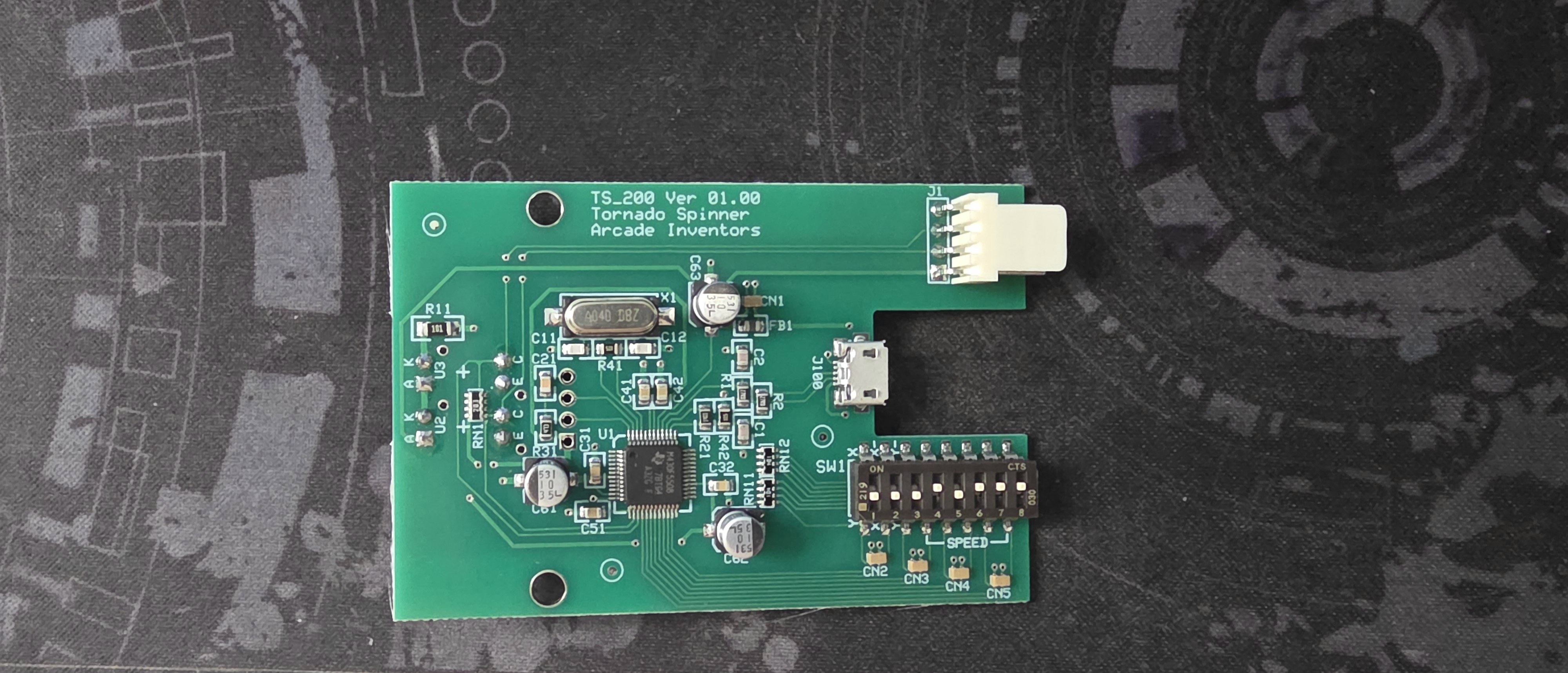
TS_200 Ver 01.00 · Tornado Spinner · Arcade Inventors.
The DIP bank is SW1 at lower right, with SPEED bracketed
under switches 4–8 and X/Y marked by 1–3.
Set it with the calculator
Tap a switch to move it. The readout matches what your spinner will do.
UP is the top of the slot · DOWN is toward the numbers
- Axis
- —
- Direction
- —
- Added speed
- —
What each switch does
Switches 1–3 — axis and direction
| Switch | UP | DOWN | Notes |
|---|---|---|---|
| 1 Axis | X axis — left / right | Y axis — up / down | Chooses which mouse axis the spinner controls. |
| 2 Reverse X | Direction A | Opposite — swaps left ↔ right | Affects X only. Use when switch 1 is UP. |
| 3 Reverse Y | Direction A | Opposite — swaps up ↕ down | Affects Y only. Use when switch 1 is DOWN. |
Check direction on your own unit. Turn the sprocket clockwise and watch the cursor. If it goes the wrong way, change switch 2 (for X) or switch 3 (for Y). “Direction A” is a reference position, not a verified left/right or up/down mapping.
Switches 4–8 — speed
Each switch adds its number when DOWN and nothing when UP. Add together only the DOWN switches.
| Switch | UP | DOWN |
|---|---|---|
| 4 | adds 0 | adds +1 |
| 5 | adds 0 | adds +2 |
| 6 | adds 0 | adds +4 |
| 7 | adds 0 | adds +8 |
| 8 | adds 0 | adds +16 |
Range is +0 through +31 (1 + 2 + 4 + 8 + 16). Example: switches 4 and 6 DOWN gives 1 + 4 = +5.
These are added speed values — not multipliers, and not a stated base speed. +0 does not mean the spinner is stopped.
The full printed guide
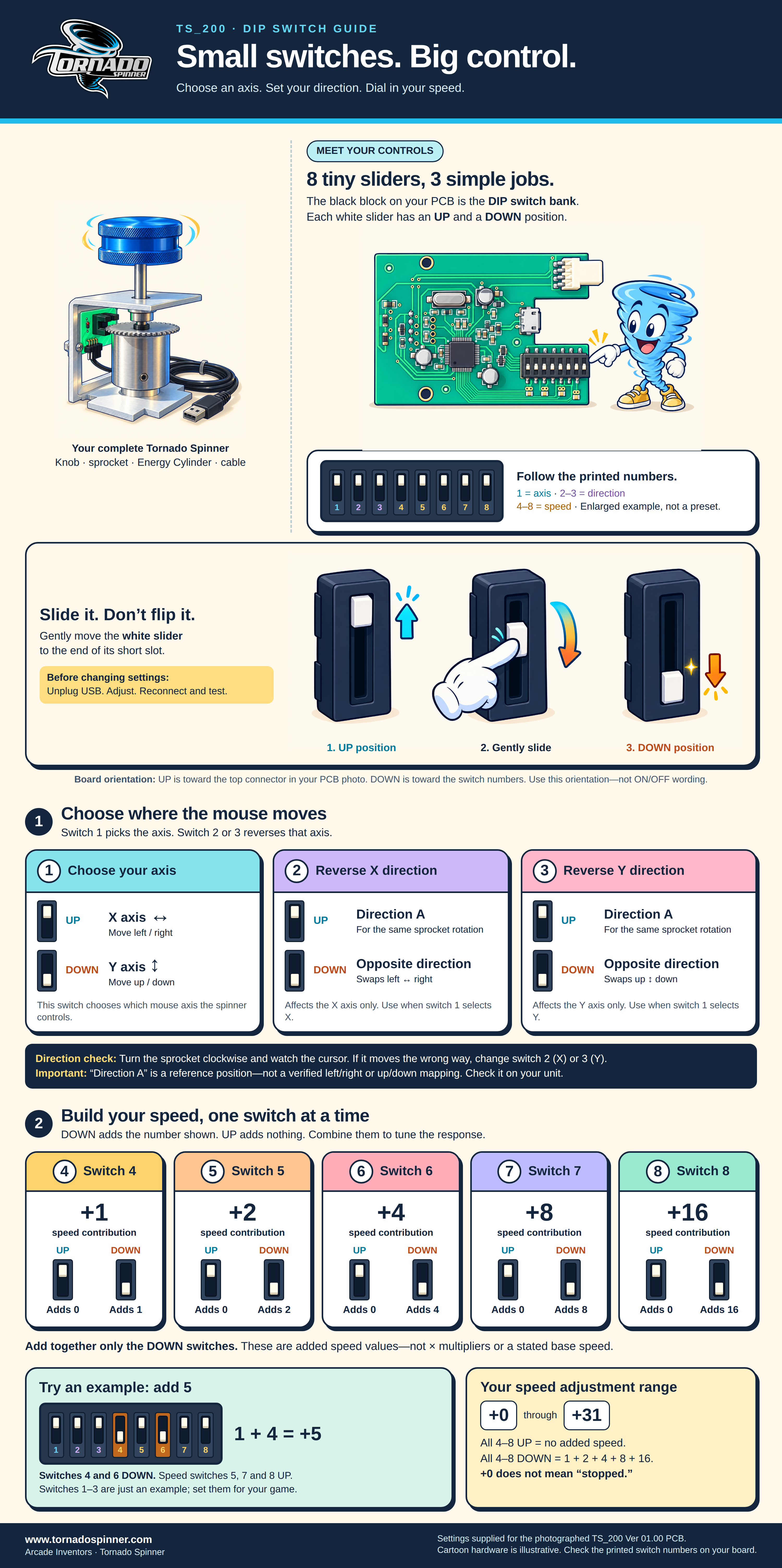
Settings here are for the photographed TS_200 Ver 01.00 board. Always check the printed switch numbers on your own board before changing anything.